

Bids
A fixed price and an amount of SOL in an on-chain account. Your bid stays open until it is filled or cancelled.
#A fixed price, backed by SOL
Each bid specifies the token mint, the token amount and the SOL committed. Its price is the ratio of the committed SOL to the requested token amount. A percentage preset helps choose that price; it does not make the bid move automatically with the market.
SOL is held in the bid's program account. The program allows it to leave when tokens are delivered at the bid's terms, or when the remaining bid is cancelled or refunded to its owner.
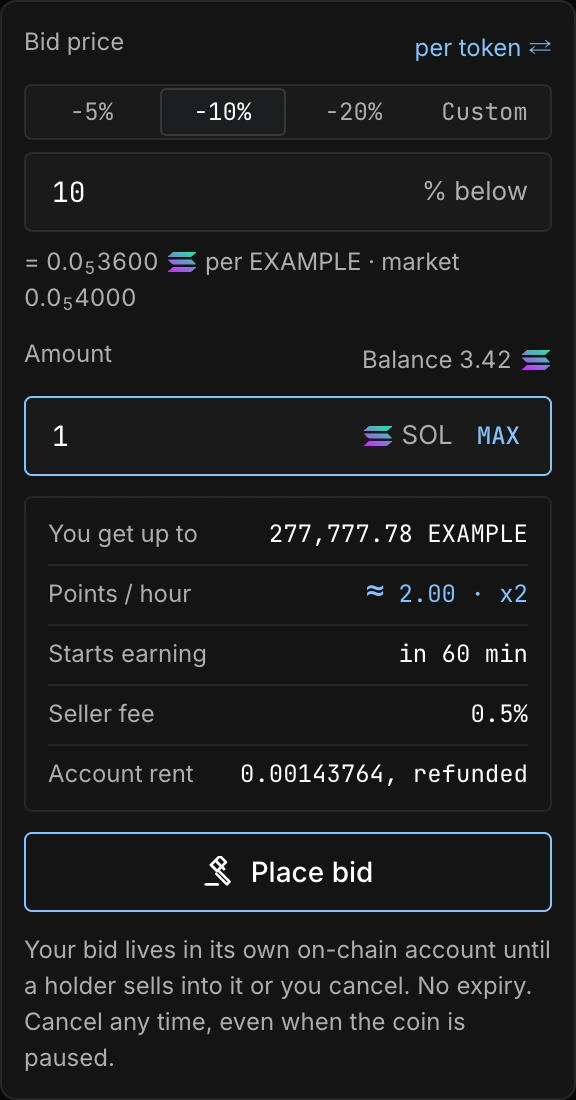
#Open, partly filled, closed
- 01Place a bidSOL in a bid account
- 02Earn pointsWhile eligible
- 03Fill or cancelTokens or remaining SOL
| State | What happens |
|---|---|
| Open | The bid is funded and can be filled while the coin and program are not paused. |
| Partly filled | Tokens already purchased are in your wallet. The remaining SOL stays at the same bid price. |
| Filled | All requested tokens have been purchased. The bid account closes; rent and any rounding dust return to the owner. |
| Cancelled | The unfilled SOL and bid account rent return to the owner. Earlier fills remain completed. |
| Refunded | During a program pause, an administrator can return a bid's remaining funds only to its owner. |
There is no automatic expiry. To change a bid price, cancel the old bid and place a new one.
#Cancelling a bid
Open Portfolio → My bids or the coin's My bids tab and select Cancel. Review the wallet transaction. Cancellation stays available during a coin or program pause.
A bid may fill before your cancellation is confirmed. The confirmed on-chain order of transactions determines the result.