

 less seller fee←Bid account
Selling into bids
Sell your tokens directly into funded bids. The buyer receives tokens and the seller receives SOL in the same transaction.
#Sell to a funded buyer
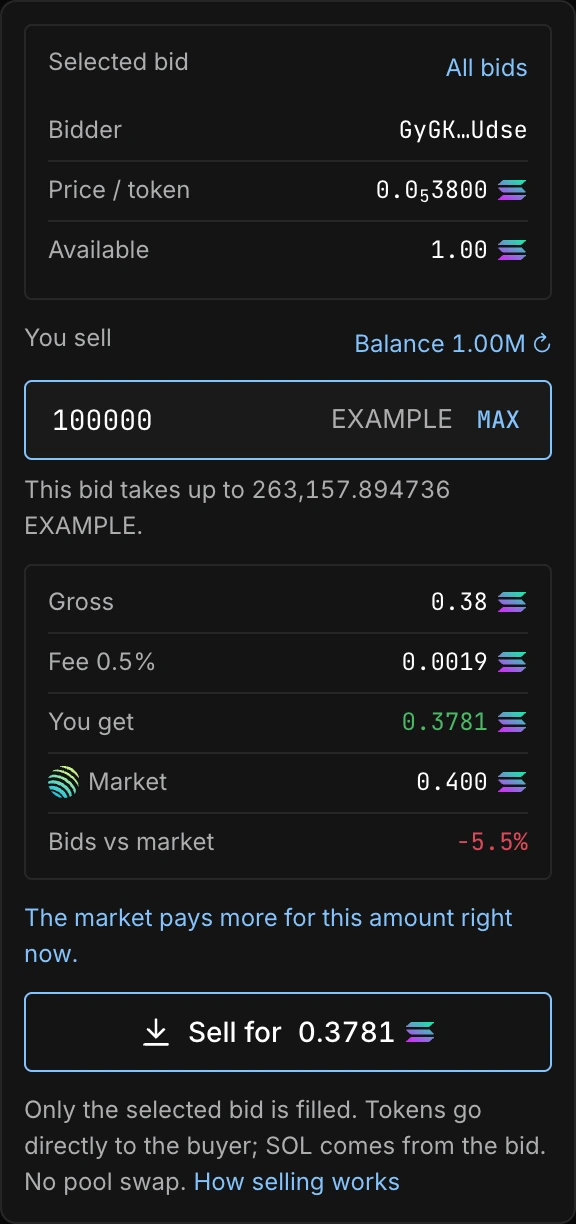
If you hold the coin, click Sell on a bid or click its level on the chart. When several bids share a level, choose a buyer. Enter the token amount, or use Max for the smaller of your available token balance and that bid's remaining capacity. The preview shows the selected buyer, price, seller fee and SOL you receive. Only that bid is filled; the remaining amount stays open. Your wallet must hold the tokens and enough SOL for the transaction and any required token account creation.
You cannot sell into your own bid. The on-chain program rejects self-fills, and rewards apply additional checks for related wallets.
#What the transaction does
- Read the funded bidsA selected bid is re-read from the chain and filled directly. All bids instead uses the best prices first, up to four bids per transaction; larger sales require successive transactions.
- Check the previewCompare net proceeds with the available
 Jupiter market quote. A missing quote means no comparison is available.
 - Sign the saleThe tokens move to the bid owners and the corresponding SOL moves to the seller, less the seller fee, in the same transaction.
Partial fills are supported. The preview covers the complete planned sale. A larger plan requires several transactions and wallet approvals. Each transaction is atomic, but an already confirmed part is not reversed if you reject a later approval or a later transaction fails.
#When a sale cannot execute
A bid can be cancelled or filled after the preview was loaded. If its remaining size or proceeds no longer match the sale, review the updated preview. A selected bid never silently falls back to another buyer. A coin or the whole program can also be paused. If the transaction can no longer satisfy its constraints, it fails rather than completing only a subset of its instructions.
The seller pays the fee stored in each bid. New fee settings do not change older bids. See Fees for the distinction between this fee and network costs.